Release 0.14.6
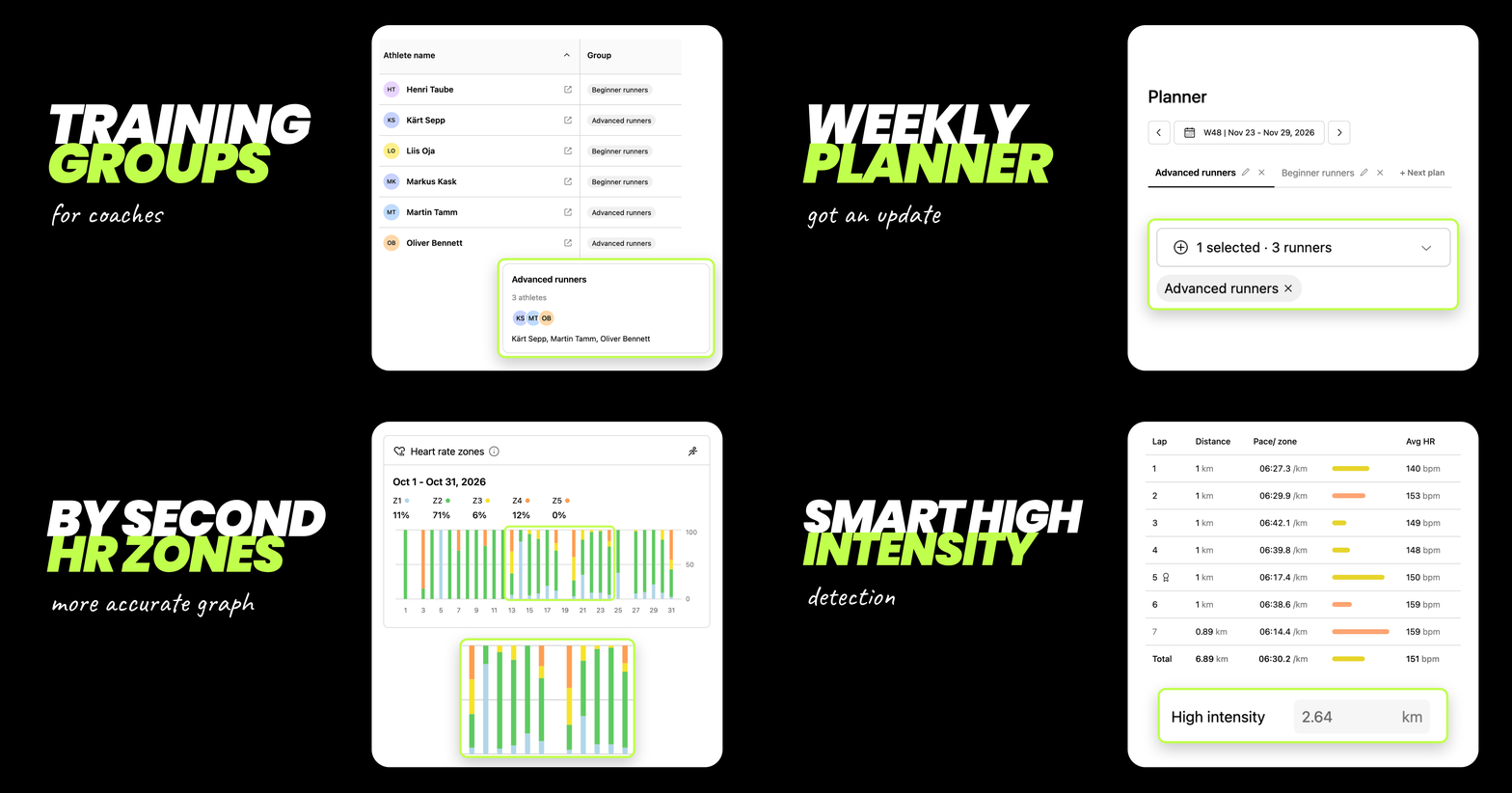
This is a pretty big release for running coaches, bringing several features they've been waiting for! Coaches can now easily organise runners into groups and assign weekly training plans to entire groups at once. Both runners and coaches can now see a split-by-split HR zone breakdown on the Dashboard HR zone graph, along with automatically detected high-intensity distance based on workout splits.
🧑🤝🧑 Training groups for coaches
Coaches can now organise athletes into training groups and send the weekly plan for a whole group at once. Put athletes with similar goals, levels or location together, assign the plan to the group in the Planner, and every athlete in it gets their plan, instead of picking runners one by one.
Here's how groups work:
Create a group: under My athletes, a new Groups section sits below the athlete table. Tap + New group, give the group a name (e.g. Beginners) and tick the athletes you want in it. You can also create an empty group and add athletes later.
One group per athlete: each athlete can be in one group at a time. Adding an athlete to a new group moves them out of their previous one. This ensures that no athlete accidentally receives more than one plan.
Edit or delete a group: tap a group card to rename it, add or remove athletes, or delete the group. Deleting a group removes the athletes from that group.
See groups in your athlete table: the table, now called Athletes, has a new Group column showing each athlete's group. To move an athlete quickly, use the … menu next to their name, choose Assign to group and select a group. You can also choose to remove an athlete from your list, filter athletes by group and perform all these actions on mobile as well.
Plan for groups in the Planner: the athlete picker now has a Groups section above the list of runners. Selecting a group selects all its athletes for the plan. You can combine several groups and individual athletes in one plan, and remove any of them from the selection.
Coach free vs Coach: on the free coach plan you can create 1 group; Coach plan gives you unlimited groups.
📋 Weekly planner also got an update
The Coach Planner section now includes a number of improvements:
Your plan stays where you left it: saving a plan no longer reorders your plans, and switching weeks keeps you on the same plan and athletes.
Change the order of the plans by drag and drop: simply drag the plans in the order you prefer.
Show more or fewer fields: a toggle that shows or hides fields. It’s on by default, the browser remembers the choice, and it works on desktop and mobile.
One card per day on mobile: no more sideways scrolling. The + button adds another plan for a date and highlights the new plan.
Copy to next week: Copy to now defaults to Next week. One click less.
No accidental duplicates: KULG asks you to confirm before resending a week’s plan to the same athletes.
❤️ More accurate HR zones graph
HR zones graph is now by second, not by average. The Heart rate zones graph on the Dashboard now uses the activity second-by-second heart rate instead of the average heart rate of each workout. Short efforts in higher zones are no longer smoothed out, so the graph shows how much time you really spent in each zone. This applies to the workout history as well, not just new activities.
🔥 Smarter high-intensity tracking
For activities synced to KULG after this release KULG now uses second-by-second heart rate to work out how much of each activity was high intensity. The automatically detected high intensity distance can be manually corrected by the runner if needed.
Hard efforts count, even on easy days: for distance-based activities, any distance you spent in Z4 or Z5 is now counted as high intensity. For example, if a 10 km easy run included 0.2 km in Z4, those 0.2 km count as high intensity.
Races, tempo runs and intervals stay the same: activities detected as a race, tempo run or interval session still count their full distance as high intensity, because the whole session is demanding. An 8 km tempo run still counts as 8 km of high intensity, even if part of it was in Z3.