Changelog

Follow new updates and improvements to KULG App.

Release 0.14.6

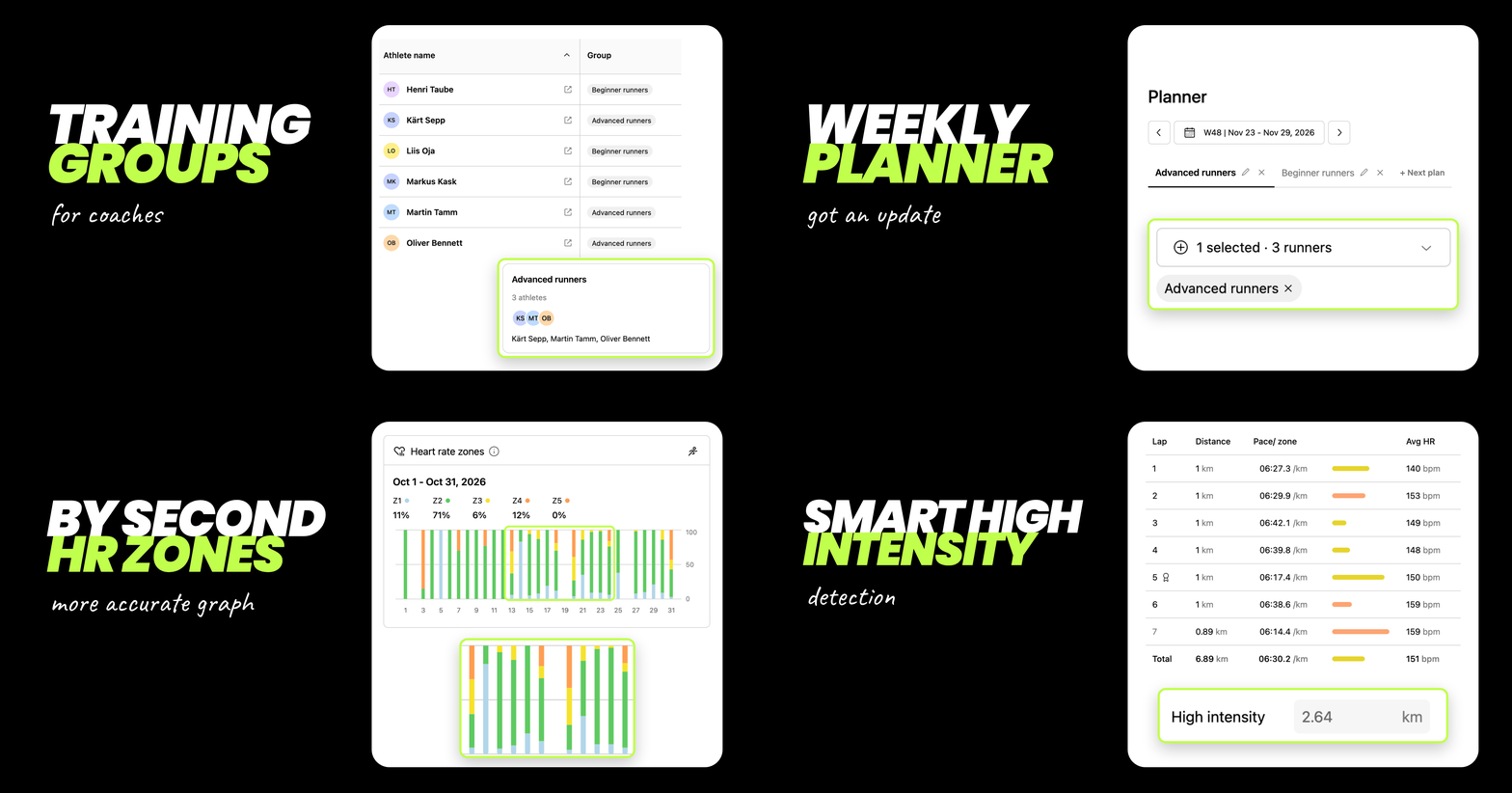
This is a pretty big release for running coaches, bringing several features they've been waiting for! Coaches can now easily organise runners into groups and assign weekly training plans to entire groups at once. Both runners and coaches can now see a split-by-split HR zone breakdown on the Dashboard HR zone graph, along with automatically detected high-intensity distance based on workout splits.

🧑‍🤝‍🧑 Training groups for coaches

Coaches can now organise athletes into training groups and send the weekly plan for a whole group at once. Put athletes with similar goals, levels or location together, assign the plan to the group in the Planner, and every athlete in it gets their plan, instead of picking runners one by one.

Here's how groups work:

  • Create a group: under My athletes, a new Groups section sits below the athlete table. Tap + New group, give the group a name (e.g. Beginners) and tick the athletes you want in it. You can also create an empty group and add athletes later.

  • One group per athlete: each athlete can be in one group at a time. Adding an athlete to a new group moves them out of their previous one. This ensures that no athlete accidentally receives more than one plan.

  • Edit or delete a group: tap a group card to rename it, add or remove athletes, or delete the group. Deleting a group removes the athletes from that group.

  • See groups in your athlete table: the table, now called Athletes, has a new Group column showing each athlete's group. To move an athlete quickly, use the … menu next to their name, choose Assign to group and select a group. You can also choose to remove an athlete from your list, filter athletes by group and perform all these actions on mobile as well.

  • Plan for groups in the Planner: the athlete picker now has a Groups section above the list of runners. Selecting a group selects all its athletes for the plan. You can combine several groups and individual athletes in one plan, and remove any of them from the selection.

  • Coach free vs Coach: on the free coach plan you can create 1 group; Coach plan gives you unlimited groups.

📋 Weekly planner also got an update

The Coach Planner section now includes a number of improvements:

  • Your plan stays where you left it: saving a plan no longer reorders your plans, and switching weeks keeps you on the same plan and athletes.

  • Change the order of the plans by drag and drop: simply drag the plans in the order you prefer.

  • Show more or fewer fields: a toggle that shows or hides fields. It’s on by default, the browser remembers the choice, and it works on desktop and mobile.

  • One card per day on mobile: no more sideways scrolling. The + button adds another plan for a date and highlights the new plan.

  • Copy to next week: Copy to now defaults to Next week. One click less.

  • No accidental duplicates: KULG asks you to confirm before resending a week’s plan to the same athletes.

❤️ More accurate HR zones graph

  • HR zones graph is now by second, not by average. The Heart rate zones graph on the Dashboard now uses the activity second-by-second heart rate instead of the average heart rate of each workout. Short efforts in higher zones are no longer smoothed out, so the graph shows how much time you really spent in each zone. This applies to the workout history as well, not just new activities.

🔥 Smarter high-intensity tracking

  • For activities synced to KULG after this release KULG now uses second-by-second heart rate to work out how much of each activity was high intensity. The automatically detected high intensity distance can be manually corrected by the runner if needed.

    • Hard efforts count, even on easy days: for distance-based activities, any distance you spent in Z4 or Z5 is now counted as high intensity. For example, if a 10 km easy run included 0.2 km in Z4, those 0.2 km count as high intensity.

    • Races, tempo runs and intervals stay the same: activities detected as a race, tempo run or interval session still count their full distance as high intensity, because the whole session is demanding. An 8 km tempo run still counts as 8 km of high intensity, even if part of it was in Z3.
NewImproved

Release 0.14.4

Request a personal training plan right from KULG 💥

Getting a training plan built around your specific context and profile is now just a tap away 🎉
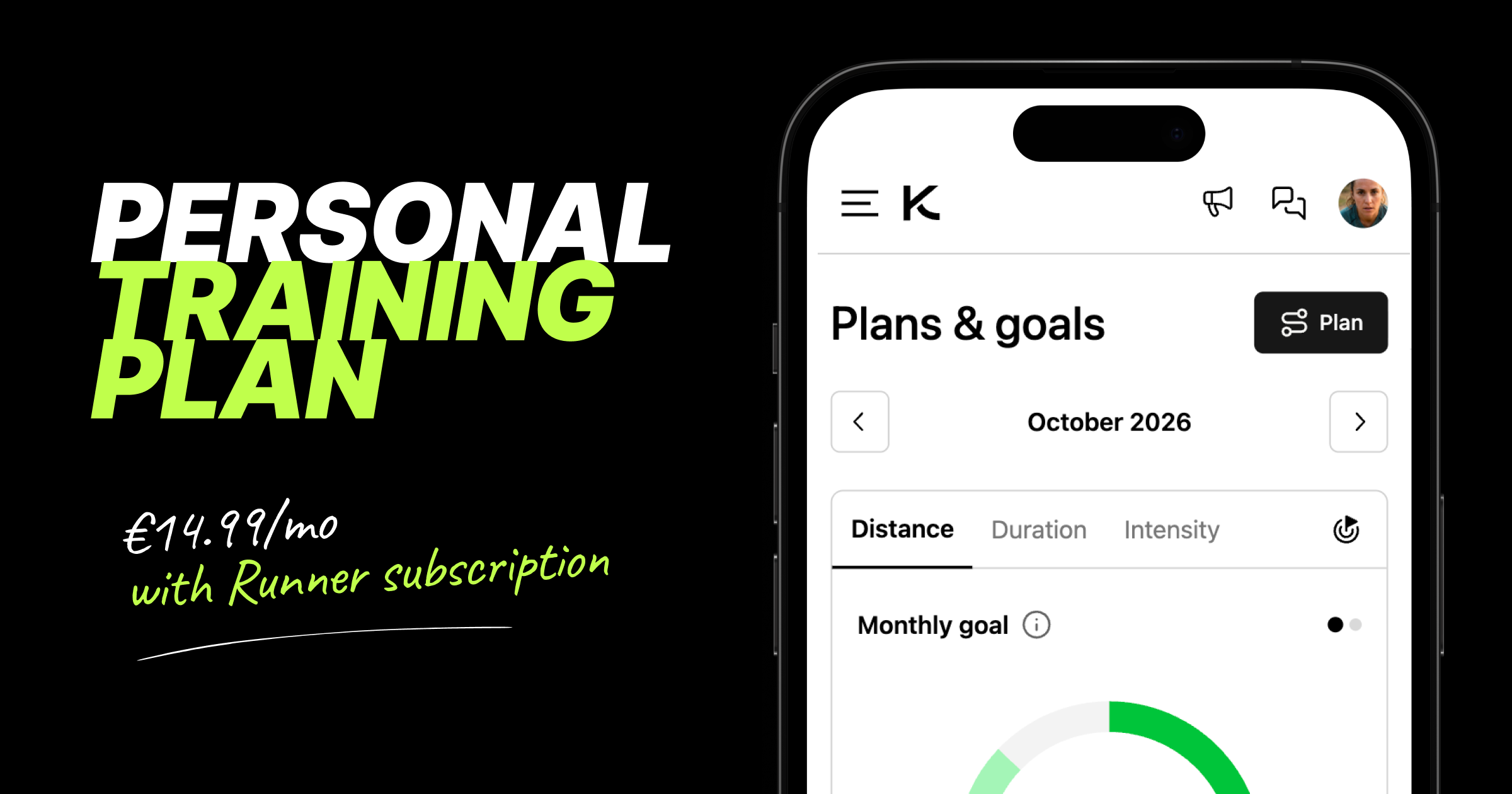
Runners on the Runner plan can request a personal monthly training plan from Plans & goals, built by KULG and validated by a human running coach. The 4-week plan can be requested from KULG web app (https://app.kulg.io/planning) and can be cancelled any time.

What’s different about KULG training plans?

  1. Based on individual context: KULG analyses your training and takes into account the entire personal context that you have added to KULG when building the plan

  2. Coach-validated and science-based: KULG AI generates the plan based on athlete analysis, knowledge base and scientific research from thousands of research articles and our coaches validate the plan before uploading it to make sure the individual context is fully considered

  3. Ask for advice: you are not alone in figuring out a plan and how to make changes when needed; join KULG running chat and ask KULG coach for advice on the plan

Here's how KULG training plan works:

  • Under KULG web app Plans & goals: tap the Training plan button to see what's included (access KULG via desktop or mobile browser)

  • Pricing: the training plan is an add-on to your Runner subscription for €14.99/mo. Together with a monthly Runner plan, that's €24.99/mo in total, and even less if you're on an annual Runner plan. The runner has to be on the Runner plan first to request the training plan.

  • On the free plan? Tapping Training plan directs you to upgrade to the Runner plan first

  • Tap Request plan: once requested, Plans & goals shows a green check next to Training plan, so you know your request is in and we'll get started on your plan and get in touch about next steps

  • Give KULG access to your data: under Settings → Account add move@kulg.io as a coach and make sure to correct your birthday

  • Keep your profile up to date: your plan is built from your training history and profile, so after requesting the plan you can jump straight to Settings → Athlete profile to specify your race goal, HR zones, training background, injury history, personal bests, etc.

  • Your plan: you will get a 4-week training plan under Plans & goals (1 week if you’re on trial)

  • Cancel any time: tap Cancel plan to remove the training plan from your subscription; you will not get the next 4-week plan after that, and you can request a new one whenever you're ready

🛠 Other fixes & improvements

  • Fixed an issue where the distance total on the Dashboard pie chart could be lower than on the distance graph because decimals weren't counted. Both now add up to the same total.

  • Made small fixes to the trial bar and removed the trial bar from the second user account (e.g. a coach account created after starting a trial on your runner account). The trial applies to the first account only, so the bar no longer shows on the second one.

  • When saving a new lab result with a higher max HR under Athlete profile, KULG now always asks whether to update it and shows your previous max HR for comparison.

NewImprovedFixed

Release 0.14.3

🔀 Share your training with a coach or a friend

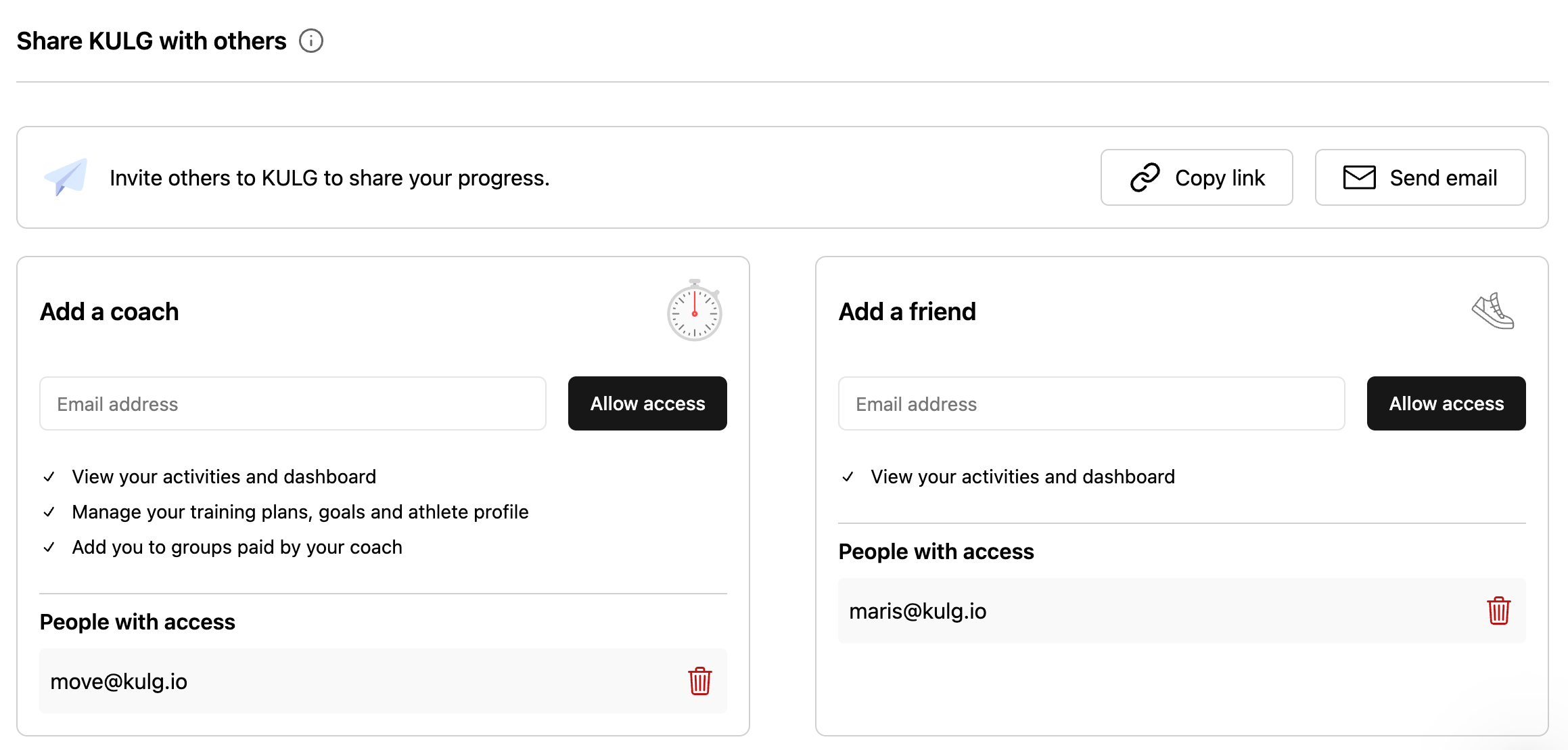
Now that runner and coach accounts are separate, every runner can decide exactly how much each person sees. In Settings, you can now add someone as your coach or as your friend, and each gets the right level of access: a friend can follow your training, while your coach can also help you manage it. It works the same on desktop and mobile.

🚩 To add a coach or a friend, make sure to use their KULG account email.

Here's how sharing works now

  • Add a coach: from My Athletes overview page, a coach can view the activities and dashboard of a runner, manage training plans, goals, and the athlete profile, add the runner to groups and unfollow the runner

  • Add a friend: a friend can view a runner’s activities and dashboard, but has no access to other features; access the runner’s profile from the menu dropdown

  • Data lands in the right account: if someone has both a runner and a coach account, adding them as a coach shares your data with their coach account, and adding them as a friend shares it with their runner account; adding them as both, shares with both

  • See who has access: the coach and friend sections each have their own list of people with access, so you can check who you've shared with and remove anyone in one tap

  • Invite others to KULG: inviting someone new by email or invite link now sits at the top of Share KULG with others

  • Existing access carries over: if someone with both a runner and a coach account already had access to your data, they now see it on their coach account and there's nothing you need to do

🛠 Other fixes & improvements

  • Fixed an issue where friends you'd shared your training with could open your Dashboard and Activities but couldn't see any data.

  • Fixed an issue where coach accounts in the iOS and Android mobile apps showed runner pages and improved switching to your coach account so it opens your athletes list straight away.

  • Fixed an issue that caused activity splits in Strava to not show average and maximum heart rate and power. Strava splits can now also be grouped by 1 km, 5 km, 10 km, and into two halves. NB! The fix applies to activities synced after this release.

  • Fixed an issue that caused Strava activities before Nov 2025 to not show splits.

  • Fixed an issue that caused Garmin activities to not show splits occasionally. NB! The fix applies to activities synced after this release.

NewFixed

Earlier updates