Release 0.13.0
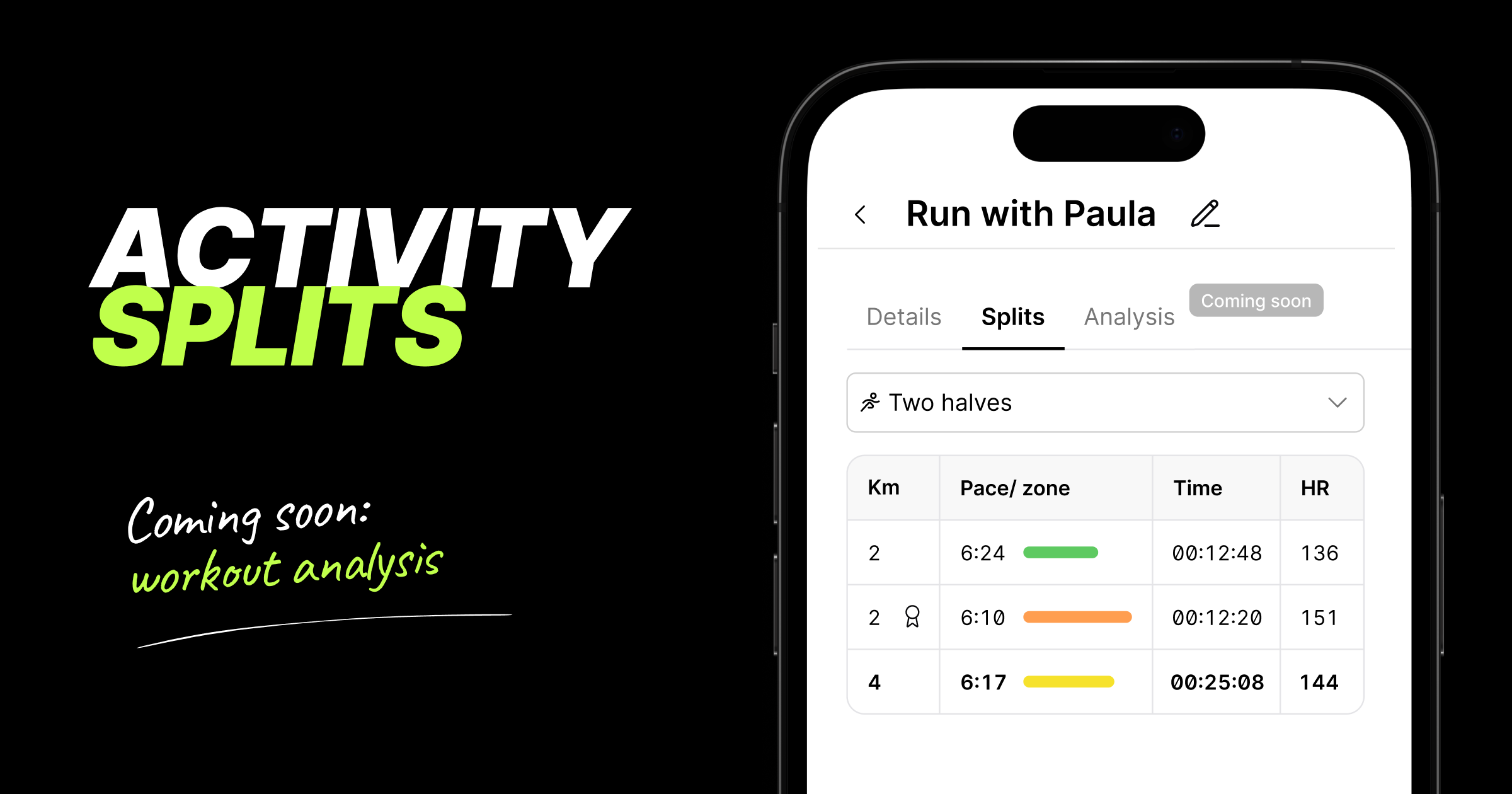
🎉 Activity splits are here
For the first time, KULG shows you how a workout broke down, not just the overall summary. Every runner and coach can now see splits on desktop and mobile for all activities that include distance (e.g. running, cycling, swimming, etc).
This major update paves the way for KULG Training assistant to analyse your individual workouts in depth. Detailed workout analysis is coming soon for subscribers!
Here’s what you can see and do with the splits:
Activities now open as a dedicated page, so you can share a direct link to any activity that the coach can open when s/he is logged in and viewing your KULG account
You can now also name your activities under the activity Details page, making them easier to remember and find later; the activity title from your integration provider is shown
by default
See HR zone colour and pace for every split at a glance - the colours match the HR zones elsewhere in the product and the faster the split, the longer the line
Choose how an activity is split: as recorded, 1 km, 5 km, 10 km, or two halves - now you can clearly see how your activity progressed and if you ran a negative split; the fastest split is the longest line and shows a badge icon by distance; NB! in Strava, you can see splits by 1 km for the time being
On desktop, you can get the full picture per split — distance, pace, HR zone, total duration (or cumulative time), split time, average and max HR, elevation gain, power, cadence; NB! heart rate and power are being added to activity splits synced via Strava
On mobile, you can see a focused version with distance, pace, HR zone, split time and average HR
Works for any activity type that includes distance (running, cycling, swimming, and more) and is available to every athlete and coach, including on the free plan
Retroactive: splits are also available on your existing activity history, so you can go back and analyse past workouts too; NB! activities that have synced from Strava more than 9 months before, may currently not shows splits
This feature is especially useful for race analysis — see exactly where you paced well, where you faded, and where you had more to give
🛠 Other fixes & improvements
Fixed an issue where the Overview page wouldn't reflect new activity until you refreshed or logged back in
Improved the athlete’s overall aerobic fitness score calculation logic on Overview to avoid inflated results after inactive periods
Fixed a few display issues on the Activities view on desktop and the sticky header on mobile
Improved the reliability of Strava activity syncing in case of multiple activities were recorded in a short amount of time
Improved the accuracy of triggering KULG HR vs. speed-related insight for training trend detection
Fixed an issue where high-intensity distance on Overview could be counted twice due to automatically detected races; NB! this fix applies to Overview data from the release date onward
Fixed running power mapping for activities synced from Garmin