
Changelog

Follow new updates and improvements to KULG App.

Release 0.14.5

🛠 Fixes & improvements

  • Planned workouts now show on the same day wherever you are. Fixed an issue where a workout planned for a specific time in one time zone could show up on a different day when viewed or edited in another country. Plans now keep the same date and time regardless of time zone, for runners and coaches alike, including in the coach Planner and in plans sent to athletes.

  • Back to where you were in Activities on mobile. After opening an activity and going back, the Activities list now returns you to the same spot instead of jumping back to the top.

  • More accurate injury risk alerts. The injury risk alert now only looks at newly added runs of 15 km or longer from the last 3 days and compares them with your longest run in the 30 days before. Depending on how much longer the new run is, you get one low (over 10%), average (over 30%) or high (over 100%) risk alert, and each level is shown only once per period.

  • Clearer messages when your own AI API key doesn't work. If you use your own OpenAI API key for KULG Training assistant under Settings » Ai, KULG now tells you why a key can't be used: the key has no permission for the request, your OpenAI account has no credit left or reached its billing limit, or the selected model isn't available for your account. A working key shows as “Key verified”.

  • No false warnings when connecting integrations. KULG no longer shows the duplicate activities warning when you disconnect and reconnect the same integration, and the confirmation message after connecting Garmin now stays on screen long enough to read.

  • Splits are easier to compare. On the Splits tab under a specific activity, the pace and speed bars now start at the same position in every row, including the Total row, for runs (/km), rides (km/h) and swims (/100m).

  • Tidier Settings and integrations. The Athlete profile tab in Settings is now called Profile, with an info icon explaining what the profile is used for. This also makes the AI tab visible on mobile. Integration logos now look consistent in Settings » Integrations and during onboarding.
ImprovedFixed

Release 0.14.4

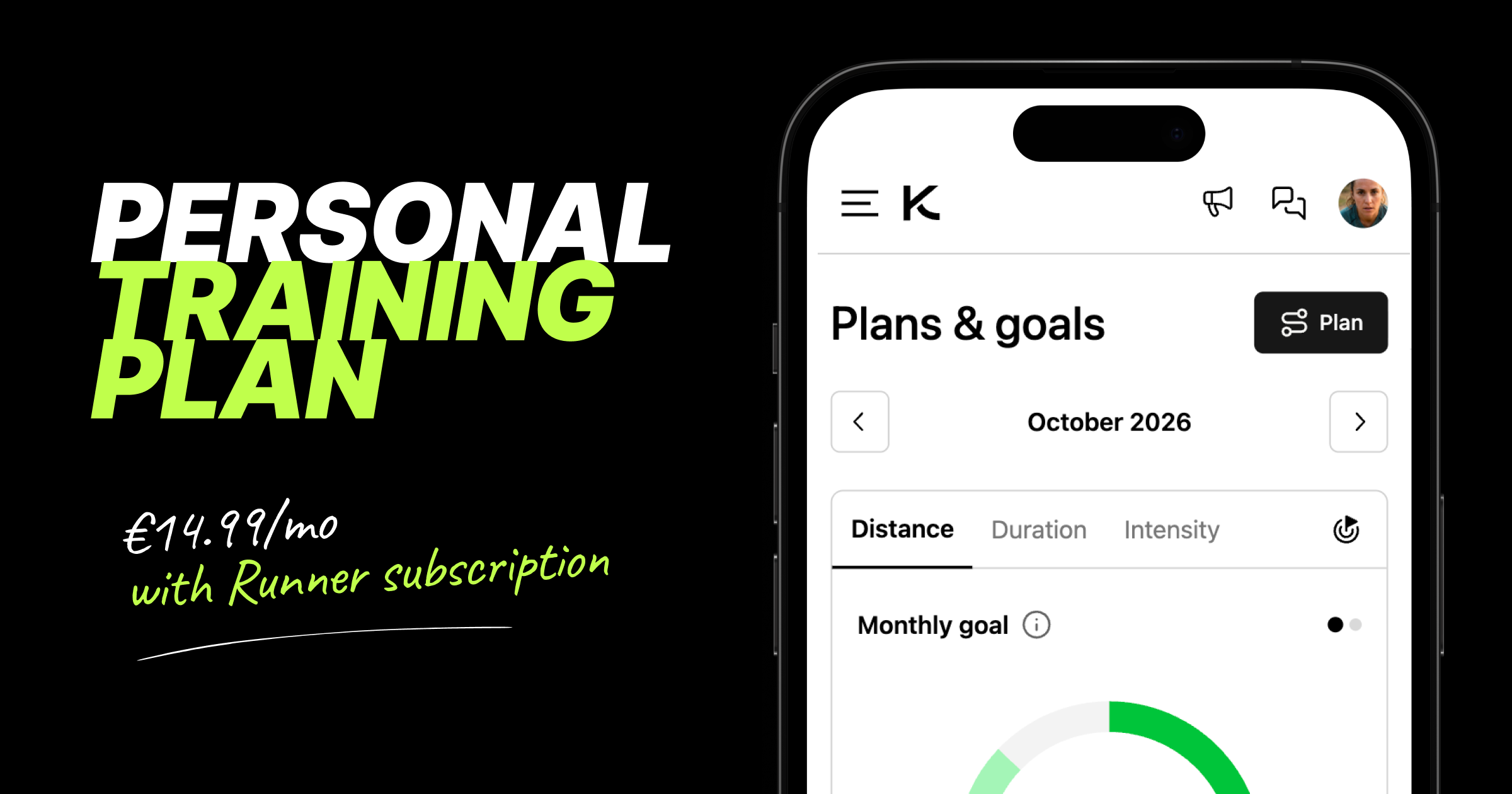
Request a personal training plan right from KULG 💥

Getting a training plan built around your specific context and profile is now just a tap away 🎉
Runners on the Runner plan can request a personal monthly training plan from Plans & goals, built by KULG and validated by a human running coach. The 4-week plan can be requested from KULG web app (https://app.kulg.io/planning) and can be cancelled any time.

What’s different about KULG training plans?

  1. Based on individual context: KULG analyses your training and takes into account the entire personal context that you have added to KULG when building the plan

  2. Coach-validated and science-based: KULG AI generates the plan based on athlete analysis, knowledge base and scientific research from thousands of research articles and our coaches validate the plan before uploading it to make sure the individual context is fully considered

  3. Ask for advice: you are not alone in figuring out a plan and how to make changes when needed; join KULG running chat and ask KULG coach for advice on the plan

Here's how KULG training plan works:

  • Under KULG web app Plans & goals: tap the Training plan button to see what's included (access KULG via desktop or mobile browser)

  • Pricing: the training plan is an add-on to your Runner subscription for €14.99/mo. Together with a monthly Runner plan, that's €24.99/mo in total, and even less if you're on an annual Runner plan. The runner has to be on the Runner plan first to request the training plan.

  • On the free plan? Tapping Training plan directs you to upgrade to the Runner plan first

  • Tap Request plan: once requested, Plans & goals shows a green check next to Training plan, so you know your request is in and we'll get started on your plan and get in touch about next steps

  • Give KULG access to your data: under Settings → Account add move@kulg.io as a coach and make sure to correct your birthday

  • Keep your profile up to date: your plan is built from your training history and profile, so after requesting the plan you can jump straight to Settings → Athlete profile to specify your race goal, HR zones, training background, injury history, personal bests, etc.

  • Your plan: you will get a 4-week training plan under Plans & goals (1 week if you’re on trial)

  • Cancel any time: tap Cancel plan to remove the training plan from your subscription; you will not get the next 4-week plan after that, and you can request a new one whenever you're ready

🛠 Other fixes & improvements

  • Fixed an issue where the distance total on the Dashboard pie chart could be lower than on the distance graph because decimals weren't counted. Both now add up to the same total.

  • Made small fixes to the trial bar and removed the trial bar from the second user account (e.g. a coach account created after starting a trial on your runner account). The trial applies to the first account only, so the bar no longer shows on the second one.

  • When saving a new lab result with a higher max HR under Athlete profile, KULG now always asks whether to update it and shows your previous max HR for comparison.

NewImprovedFixed

Release 0.14.3

🔀 Share your training with a coach or a friend

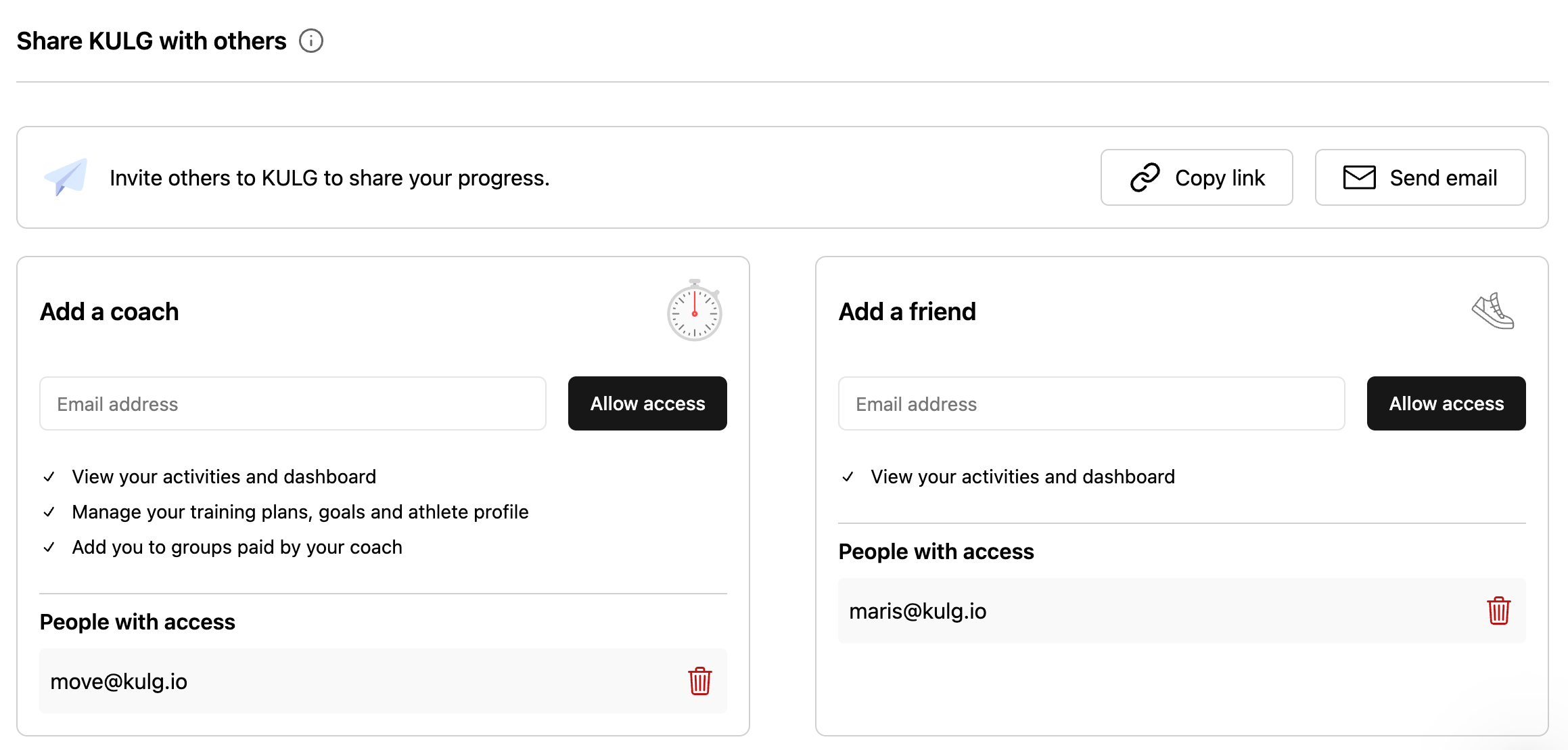
Now that runner and coach accounts are separate, every runner can decide exactly how much each person sees. In Settings, you can now add someone as your coach or as your friend, and each gets the right level of access: a friend can follow your training, while your coach can also help you manage it. It works the same on desktop and mobile.

🚩 To add a coach or a friend, make sure to use their KULG account email.

Here's how sharing works now

  • Add a coach: from My Athletes overview page, a coach can view the activities and dashboard of a runner, manage training plans, goals, and the athlete profile, add the runner to groups and unfollow the runner

  • Add a friend: a friend can view a runner’s activities and dashboard, but has no access to other features; access the runner’s profile from the menu dropdown

  • Data lands in the right account: if someone has both a runner and a coach account, adding them as a coach shares your data with their coach account, and adding them as a friend shares it with their runner account; adding them as both, shares with both

  • See who has access: the coach and friend sections each have their own list of people with access, so you can check who you've shared with and remove anyone in one tap

  • Invite others to KULG: inviting someone new by email or invite link now sits at the top of Share KULG with others

  • Existing access carries over: if someone with both a runner and a coach account already had access to your data, they now see it on their coach account and there's nothing you need to do

🛠 Other fixes & improvements

  • Fixed an issue where friends you'd shared your training with could open your Dashboard and Activities but couldn't see any data.

  • Fixed an issue where coach accounts in the iOS and Android mobile apps showed runner pages and improved switching to your coach account so it opens your athletes list straight away.

  • Fixed an issue that caused activity splits in Strava to not show average and maximum heart rate and power. Strava splits can now also be grouped by 1 km, 5 km, 10 km, and into two halves. NB! The fix applies to activities synced after this release.

  • Fixed an issue that caused Strava activities before Nov 2025 to not show splits.

  • Fixed an issue that caused Garmin activities to not show splits occasionally. NB! The fix applies to activities synced after this release.

NewFixed

Earlier updates