Release 0.14.3
🔀 Share your training with a coach or a friend
Now that runner and coach accounts are separate, every runner can decide exactly how much each person sees. In Settings, you can now add someone as your coach or as your friend, and each gets the right level of access: a friend can follow your training, while your coach can also help you manage it. It works the same on desktop and mobile.
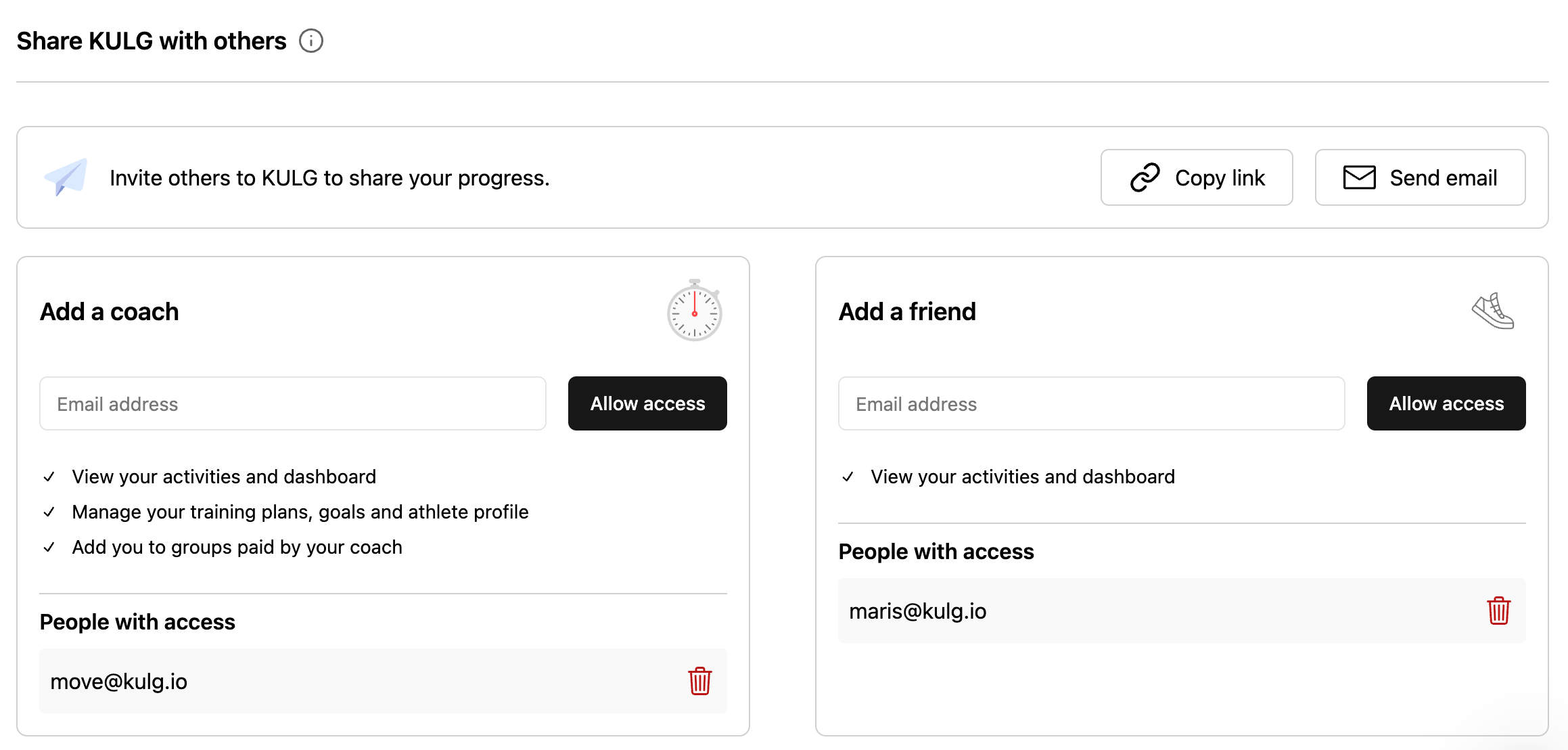
Here's how sharing works now
Add a coach: from My Athletes overview page, a coach can view the activities and dashboard of a runner, manage training plans, goals, and the athlete profile, add the runner to groups and unfollow the runner
Add a friend: a friend can view a runner’s activities and dashboard, but has no access to other features; access the runner’s profile from the menu dropdown
Data lands in the right account: if someone has both a runner and a coach account, adding them as a coach shares your data with their coach account, and adding them as a friend shares it with their runner account; adding them as both, shares with both
See who has access: the coach and friend sections each have their own list of people with access, so you can check who you've shared with and remove anyone in one tap
Invite others to KULG: inviting someone new by email or invite link now sits at the top of Share KULG with others
Existing access carries over: if someone with both a runner and a coach account already had access to your data, they now see it on their coach account and there's nothing you need to do
🛠 Other fixes & improvements
Fixed an issue where friends you'd shared your training with could open your Dashboard and Activities but couldn't see any data.
Fixed an issue where coach accounts in the iOS and Andorid mobile apps showed runner pages and improved switching to your coach account so it opens your athletes list straight away.